How to disable IE Enhanced Security in Windows Server 2012
“
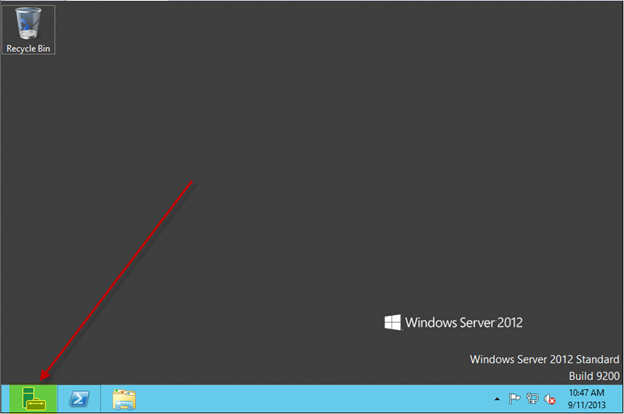
Click on Server Manager
“
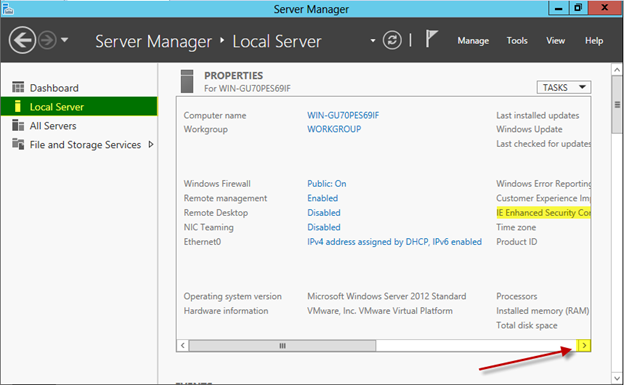
Click on Local Server then Scroll over to the right
“
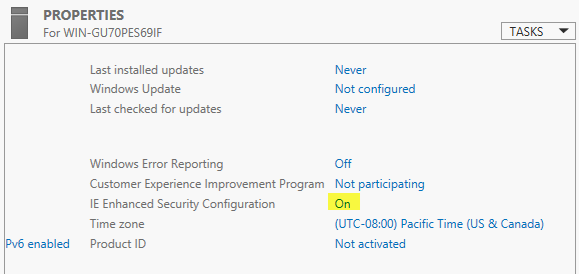
Click On
“
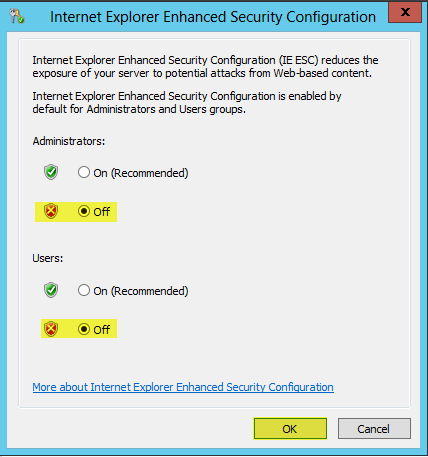
Select your desired settings then press OK
“
“
Click on Server Manager
“
Click on Local Server then Scroll over to the right
“
Click On
“
Select your desired settings then press OK
“