0 1 0 1 0 1 0 1 0 1 0 1 0 1 0 1 0 1 0 1 0 1 0 1 0 1 0 1 0 1 0 1 0 1 0 1 0 1 0 1 0 1 0 1 0 1 0 1 0 1 0 1 0 1 0 1 0 1 0 1 0 1 0 1 0 1 0 1 0 1 0 1 0 1 0 1 0 1 0 1 0 1 0 1 0 1 0 1 0 1 0 1 0 1 0 1 0 1 0 1 0 1 0 1 0 1 0 1 0 1 0 1 0 1 0 1 0 1 0 1 0 1 0 1 0 1 0 1 0 1 0 1 0 1 0 1 0 1 0 1
JPPINTO
  • Home
  • Certifications
  • About
  • Contact
  • Gallery
  • Current Setup
Contact

Search

March 8, 2010 / General

Windows Live Messenger crashes Router/Internet Connection
Tags: crash router msn, msn live crashing router, windows live messenger crash

I recently upgraded my Netgear RangeMax WNR3500 router to the latest firmware of V1.0.30_8.0.30. I noticed each time I started Windows Live Messenger my router would physically reboot. Yes I said reboot.

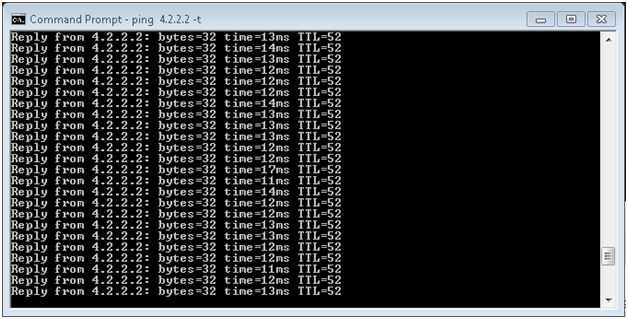
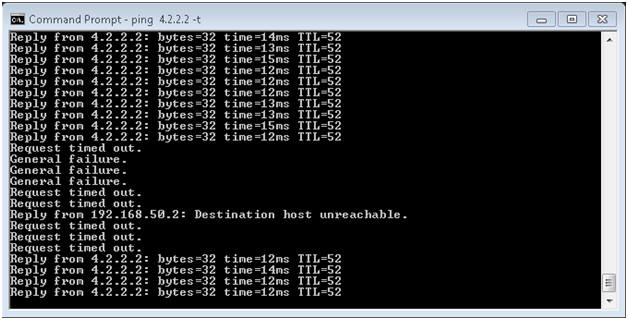
You can see here I am running a continuous ping to 4.2.2.2, which is on the internet, and it’s responding fine.
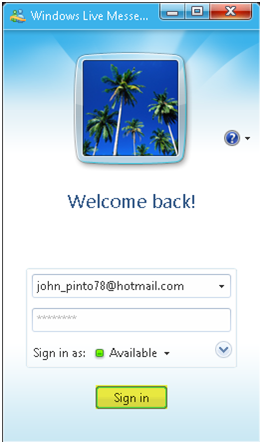
Below I attempt to log into Windows Live Messenger
You can see as soon as I start Windows Live Messenger my connection drops. I tested this from several different machines and got the same result – no matter which machine I start Windows Live Messenger from it crashes my router. I am using the latest version of Windows Live Messenger as of 3/8/2010.
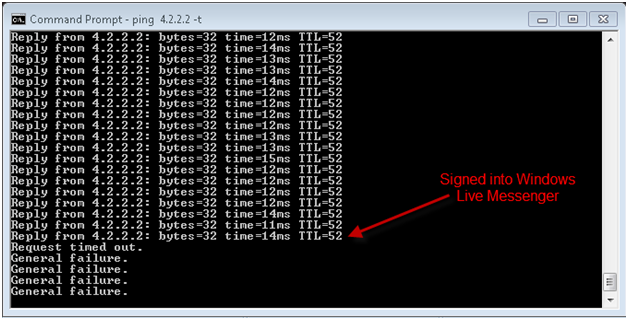
The router reboots and the internet connection comes back up in a couple of minutes. I shutdown Windows Live Messenger at this point to troubleshoot the issue and see if I can resolve the problem.
Several other people online have similar issues but I could not find a solid resolution or a logically theory on the issue. Some said to disable uPNP however that was already disabled on my router. These are the steps I took to resolve the issue.

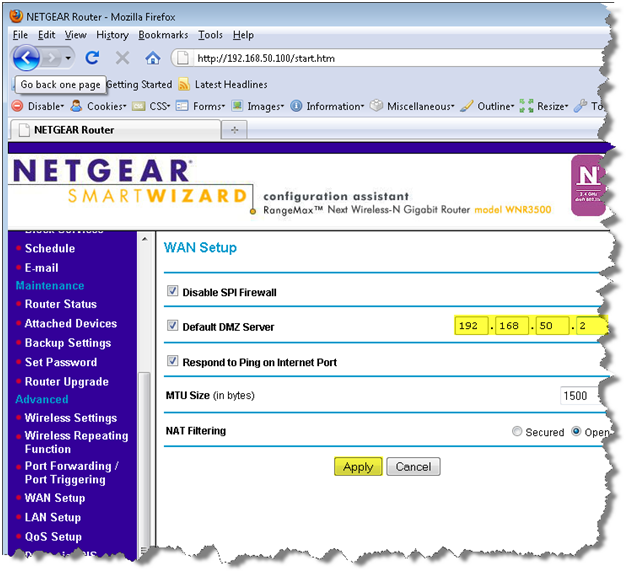
  1. I added my primary machine as the default DMZ server and I did not have the issue after the change. However it was now working from all my machines. If this was an issue communication from the internet to the application then only my primary machine should have been working at this point.
  2. I removed the setting for the default DMZ server, Windows Live Messenger continued to worked after this change but only for a while. I tryed changing the MTU settings to 14xx range and it did not help the issue.

I will be investing in a Linksys Router in the near future, I have found no fix for this issue yet.
Post Views: 250
<- URL Rewrite 2.0 Installation
Automatically Redirect HTTP requests to HTTPS on IIS 7 using URL Rewrite 2.0 ->

Categories

  • Active Directory (5)
  • Amazon Cloud Services (1)
  • Blazor (1)
  • C# (C-Sharp) (3)
  • CI/CD Pipelines (1)
  • Containers (4)
  • Development (1)
  • Docker (3)
  • General (5)
  • IIS 6.0 (4)
  • IIS 7.0 (10)
  • IIS 8.0 (1)
  • Infrastructure as Code (IaC) (1)
  • Kubernetes (3)
  • MySQL (1)
  • Office 2010 (1)
  • PHP (1)
  • PowerShell (3)
  • SharePoint 2007 (8)
  • SharePoint 2010 (19)
  • SharePoint 2013 (2)
  • SMTP (4)
  • SQL Server 2008 (1)
  • SQL Server 2008 R2 (1)
  • SQL Server 2012 (2)
  • SQL Server 2019 (1)
  • Uncategorized (1)
  • URL Rewrite (2)
  • Visual Studio 2019 (1)
  • Visual Studio Code (1)
  • Windows 10 (2)
  • Windows 2003 (9)
  • Windows 2008 (18)
  • Windows 2012 (6)
  • Windows 7 (3)
  • Windows Firewall (1)
  • Windows Vista (1)

Recent Posts

  • Install Terraform on Windows
  • Create a .NET Core 3.1 Console App in Visual Studio Code
  • Install a stand-alone SQL Server 2019 Enterprise Server
  • Create a Blazor App project in Visual Studio 2019
  • Username and Password for minikube Virtual Machine

Advertisement

Tags

backconnectionhostnames custom column default gateway disappears disable shutdown event tracker error opening exe exe permissions externalize blob externalize sharepoint data facebook spam filezilla server firewall rules filazilla full installation http redirect https https redirect IIS iis7 iis 7 installation IIS installation index server configuration installing cumulative updates load balance central administration magic default gateway missing default gateway moss advanced search nlb no default gateway powershell redirect http to https search column sharepoint 2010 cumulative updates sharepoint 2010 farm build sharepoint 2010 farm configuration sharepoint 2010 farm installation sharepoint data externalization shutdown event tracker shutdown tracker SMTP storagepoint Windows 7 windows firewall configuration windows live messenger crash windows server 2008 wlbs x86
© 2026 JPPinto.com – Tech Blog. All rights reserved.