Missing GoTo Meeting icon in System Tray
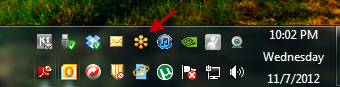
Sometimes when I close GoTo meeting, it doesn’t start in the system tray on the next reboot. Sometimes it just disappears all together.
“
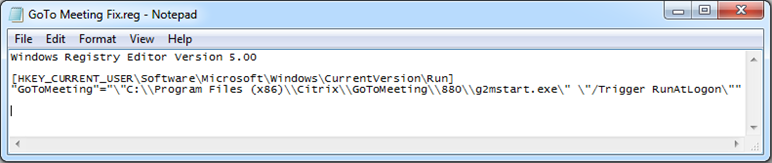
Enter the following information into the registry to fix this. Replace 880 with the latest version installed on your machine. You can get the latest version by browsing to “C:\Program Files (x86)\Citrix\GoToMeeting”
“
Location: [HKEY_CURRENT_USER or HKEY_LOCAL_MACHINE\Software\Microsoft\Windows\CurrentVersion\Run]
Type: REG_SZ
Value Name: GoTo Meeting
Value Data: “C:\Program Files (x86)\Citrix\GoToMeeting\VERSION\g2mstart.exe” “/Trigger RunAtLogon”
“